

Download idcloak VPN – Free Secure & Anonymous Browsing for Windows, Mac, Android, iOS
In today’s digital age, online privacy and security are more important than ever. With rising cyber threats, government surveillance, and data harvesting by corporations, protecting your digital footprint has become essential. idcloak VPN is a powerful, free security and privacy tool developed by idcloak Technologies Inc. that helps users surf the internet anonymously, bypass geo-restrictions, and safeguard their personal data.
By rerouting your internet traffic through encrypted servers across the globe, idcloak VPN hides your real IP address and location, making it nearly impossible for hackers, ISPs, or third parties to track your online activity. Whether you're using public Wi-Fi, accessing blocked websites, or simply want to browse with peace of mind, idcloak VPN delivers reliable, high-speed protection across Windows, Mac, Android, and iOS devices. With OpenVPN technology, 128-bit Blowfish encryption, and an automatic kill-switch, this software ensures that your connection stays secure—even if the VPN drops unexpectedly.
The app is completely free to download and use, with no hidden fees or data caps, making it one of the most accessible privacy tools on the market today.
Key Features of idcloak VPN
idcloak VPN stands out in the crowded VPN market thanks to its robust feature set designed for both casual users and privacy-conscious individuals. One of the most compelling features is its global server network, which allows users to connect to servers in multiple countries. This not only helps bypass regional content blocks—such as restricted YouTube videos, streaming services, or news sites—but also enables users to access localized search results and pricing, a major advantage for online shoppers and digital marketers. Whether you're comparing prices across countries or researching SEO trends from different regions, idcloak VPN gives you the freedom to explore the internet as if you were physically located elsewhere.
Security is at the core of idcloak VPN’s design. The software leverages OpenVPN protocol combined with 128-bit Blowfish encryption, a proven standard that ensures your data remains private and tamper-proof. This level of encryption makes it extremely difficult for cybercriminals, ISPs, or government agencies to intercept or monitor your online behavior. Additionally, the app includes an automatic kill-switch—a critical safety feature that instantly cuts off your internet connection if the VPN drops, preventing any accidental exposure of your real IP address.
For users concerned about performance, idcloak VPN optimizes connection speeds by automatically routing you to the most efficient server based on your location and network conditions. This ensures minimal lag and faster downloads, even when browsing securely. The app also supports unlimited bandwidth, meaning you can stream, download, or browse without restrictions. With a user-friendly interface available on Windows, Mac, Android, and iOS, setting up and managing your connection is simple—just one tap to connect and start browsing safely.
- Free to download and use with no hidden charges
- Global server network across multiple countries
- OpenVPN + 128-bit Blowfish encryption for maximum security
- Automatic kill-switch to prevent IP leaks
- Optimized server routing for faster speeds and better performance
- Unlimited bandwidth with no data caps
- Supports Windows, Mac, Android, and iOS devices
- Simple one-click connection for instant privacy
How to Install and Use idcloak VPN
Getting started with idcloak VPN is quick and straightforward, making it ideal for users of all technical levels. The first step is to download the app from the official website or trusted app stores. For Windows and Mac users, visit the idcloak Technologies Inc. website and click the “Download” button for your operating system. The installer is lightweight and installs in seconds. On Android and iOS, simply open the Google Play Store or Apple App Store, search for “idcloak VPN,” and install the app directly.
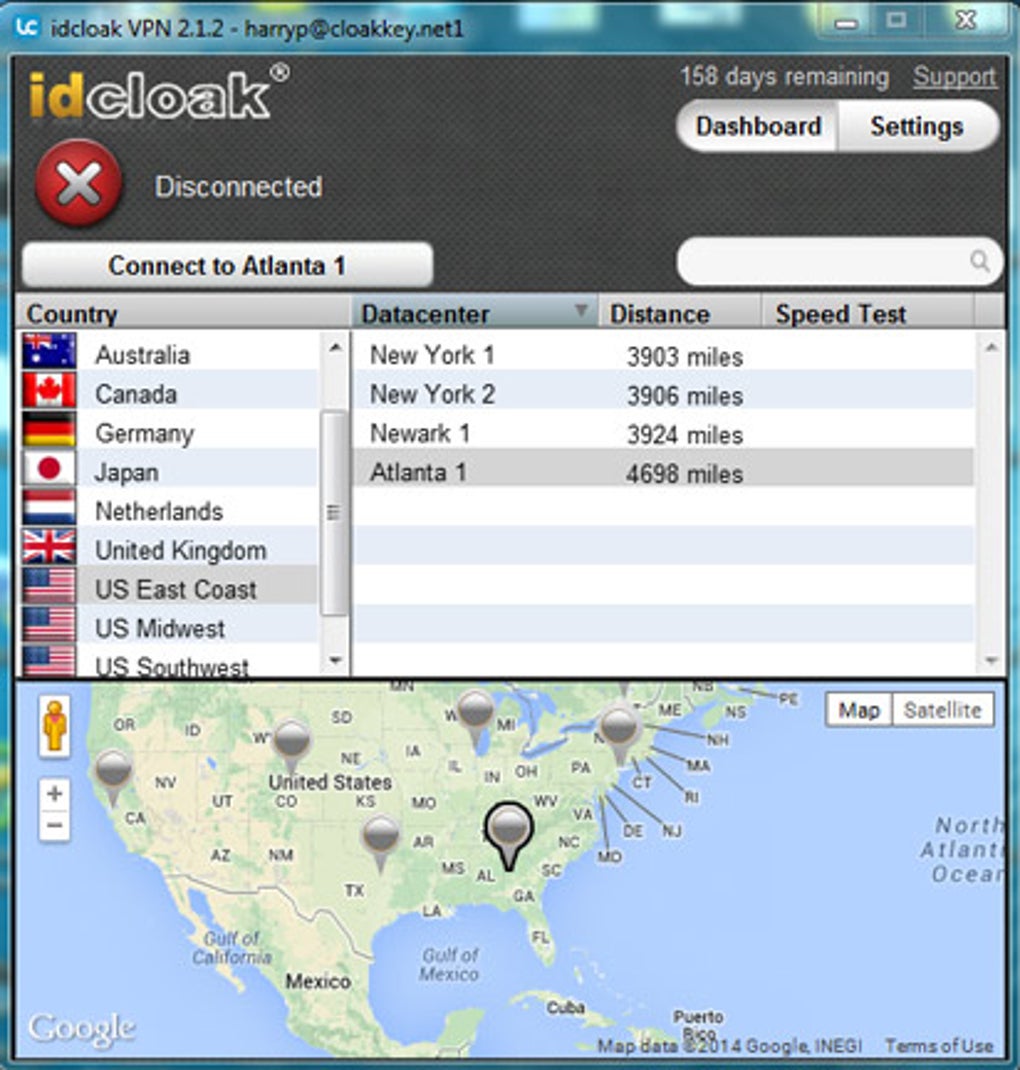
Once installed, open the app and create a free account. The registration process is quick and requires only an email address. After logging in, you’ll be presented with a clean, intuitive interface showing available server locations.
To connect, simply tap or click on a country of your choice. The app will establish a secure encrypted tunnel within seconds. You’ll see a confirmation that your connection is active, and your real IP address is masked.
From this point, all your internet traffic is routed through idcloak’s secure network, protecting your identity and privacy.
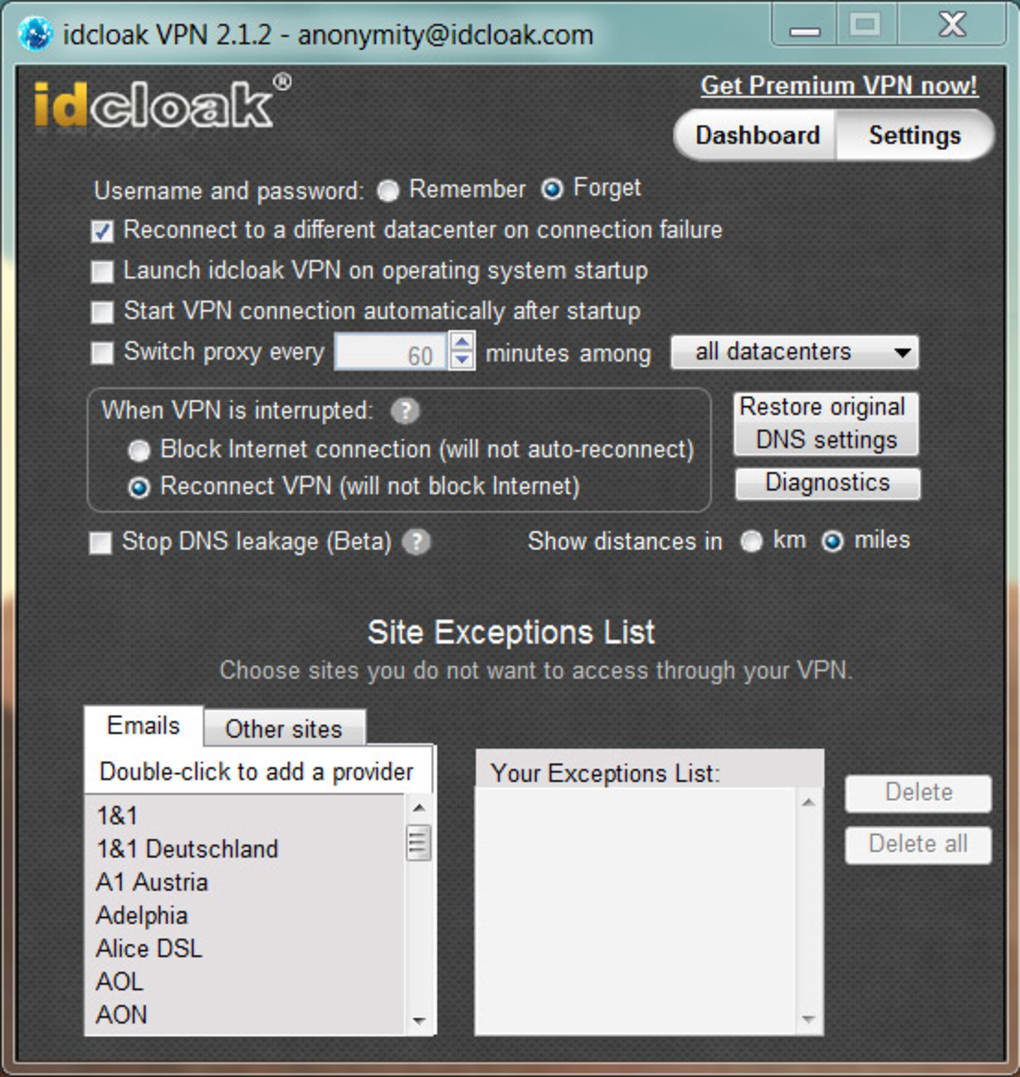
For advanced users, idcloak VPN offers customization options such as choosing specific server types, enabling the kill-switch, and adjusting connection preferences. The app also provides real-time bandwidth usage and connection status, so you can monitor your activity. If you’re using public Wi-Fi at a café or airport, idcloak VPN is especially valuable—it shields your data from potential hackers on the same network. Whether you're traveling abroad, working remotely, or just browsing privately at home, idcloak VPN ensures your online experience remains secure and unrestricted.
Compatibility & System Requirements
One of the standout aspects of idcloak VPN is its broad compatibility across all major platforms. Whether you're using a desktop, laptop, smartphone, or tablet, you can enjoy seamless privacy protection. The software is officially supported on Windows 7 and later, macOS 10.12 or higher, Android 5.0 and above, and iOS 11.0 and later. This wide range of support ensures that both older and newer devices can benefit from the app’s security features.
For Windows users, the app runs smoothly on both 32-bit and 64-bit systems without requiring additional drivers or complex configurations. Mac users will appreciate the native integration with macOS, including support for system-level privacy settings. On Android, idcloak VPN is compatible with most smartphones and tablets, including popular brands like Samsung, Google Pixel, and OnePlus. The iOS version is optimized for iPhones and iPads, offering a responsive interface and full access to all features, including the kill-switch and server switching.
Performance-wise, idcloak VPN is designed to minimize battery drain and CPU usage, making it suitable for long-term use. The app is lightweight and does not slow down your device, even when running in the background. Regular updates are pushed out to improve stability, fix bugs, and enhance security, ensuring that users always have access to the latest protections. With its cross-platform availability and consistent performance, idcloak VPN is a reliable choice for anyone looking to stay safe online, regardless of the device they use.
Pros and Cons of idcloak VPN
Like any software, idcloak VPN has its strengths and limitations. Understanding these can help you decide if it’s the right fit for your privacy needs.
Pros
- Completely free to use with no data caps or subscription requirements
- Strong encryption using OpenVPN and 128-bit Blowfish for secure browsing
- Automatic kill-switch prevents data leaks if the connection drops
- Global server network enables access to geo-restricted content
- Unlimited bandwidth for uninterrupted streaming and downloads
- Simple, intuitive interface suitable for beginners and experts alike
- Available on all major platforms: Windows, Mac, Android, iOS
Cons
- No dedicated customer support (only self-help resources available)
- Server speeds may vary depending on location and load
- Limited server count compared to premium providers
- No multi-device simultaneous connections (one device at a time)
- Ads in the free version (non-intrusive but present)
Frequently Asked Questions (FAQ)
Q: Is idcloak VPN really free?
A: Yes, idcloak VPN is completely free to download and use. There are no hidden fees, subscription charges, or data limits. You can enjoy unlimited bandwidth and access to global servers at no cost.
Q: Does idcloak VPN work on public Wi-Fi?
A: Absolutely. idcloak VPN encrypts your connection, protecting your data from hackers and snoopers on unsecured public networks like those in cafes, airports, or hotels.
Q: Can I use idcloak VPN to watch Netflix or other streaming services?
A: While idcloak VPN can help bypass some geo-blocks, streaming platforms like Netflix often detect and block known VPN servers. Results may vary depending on server availability and region.
Q: How does the kill-switch work?
A: The kill-switch automatically disconnects your internet if the VPN connection drops unexpectedly. This ensures your real IP address is never exposed during a connection failure.
Q: Is idcloak VPN safe for online banking and shopping?
A: Yes, idcloak VPN encrypts your data and hides your IP address, making it much safer to conduct financial transactions and make purchases online, especially on public networks.
Conclusion: Why You Should Download idcloak VPN Today
If you're looking for a reliable, free, secure, and easy-to-use VPN that protects your privacy and unlocks global content, idcloak VPN is an excellent choice. With strong encryption, a kill-switch, unlimited bandwidth, and support across Windows, Mac, Android, and iOS, it offers top-tier protection without the price tag. Whether you're a student, traveler, remote worker, or online shopper, idcloak VPN empowers you to browse freely and safely.
While it lacks some advanced features found in paid services—like multi-device support and 24/7 customer service—the benefits of a completely free, no-strings-attached privacy tool outweigh the limitations for many users. The regular updates and commitment to user security show that idcloak Technologies Inc. is serious about protecting your online identity.
Download idcloak VPN today and take control of your digital privacy—secure, anonymous, and completely free.







